1 erbjudande
Priserna uppdateras dagligenButik
Pris
Frakt

Priserna uppdateras dagligen. Klicka på "Köp hos X" tar dig till butiken.
Beskrivning
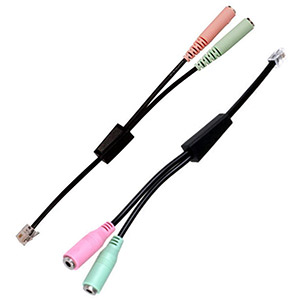
The headset adapter plugs into the telephone handset's RJ-11 port and provides two 3.5mm connectors (female) for headset and microphone. How do you use the Jablocom Essence with Headset Connector? 1. Disconnect the receiver cable from the phone and handset. 2. Connect the headset connector to the phone. 3. Connect the headset to the headset connector. 3. In your Essence, select Options> Phone> Active headset> Select ON (to disable headset support select OFF) 4. To make, receive or end calls, use the green and red button on Essence. Headset Connector is compatible with all phones of product families BNP-04, BNP-04i, BNP-06 and BNP-06i.